
Production Pad
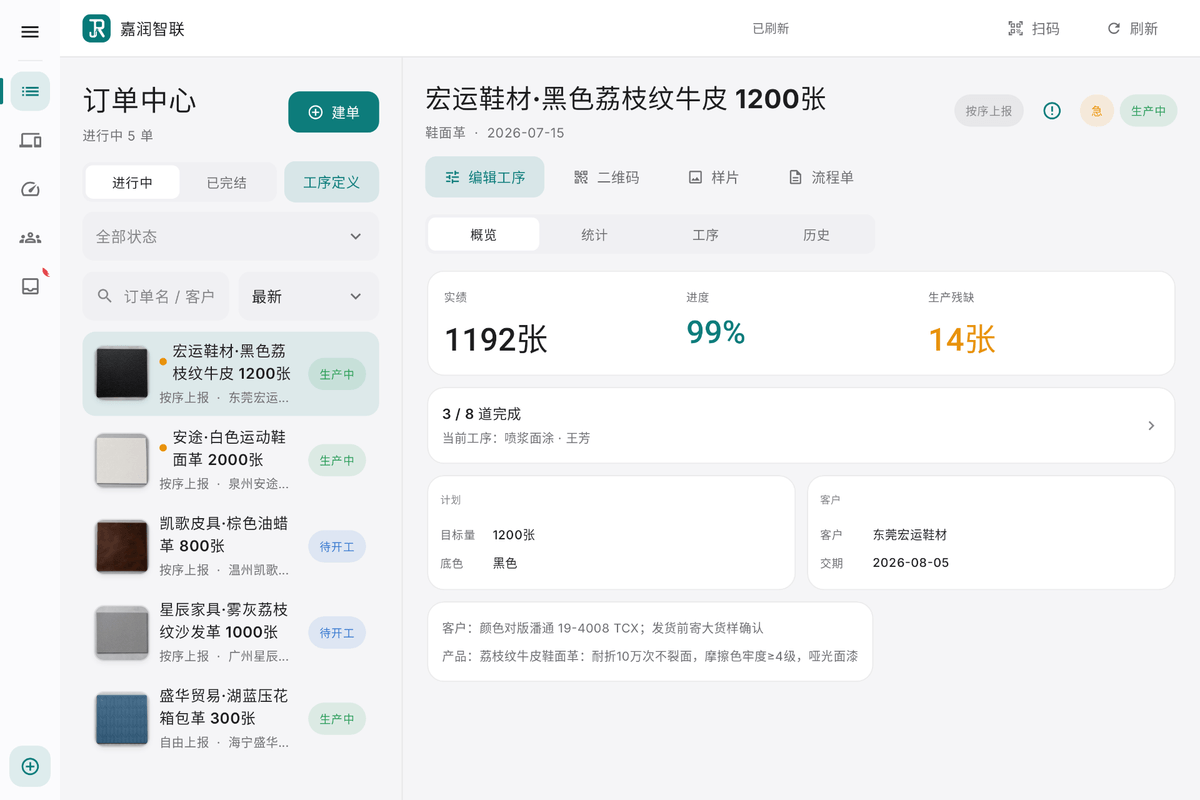
The production management workspace on a tablet: orders, operations, people, equipment and production requirements handled in one place, usable while moving around the floor.
The workshop supervisor and the production management staff, signing in on the tablet.
Three moments in a working day
Morning: open orders, plan the steps
A new order takes the article and target quantity, pulls its steps from a process template, and the day's sequence and assignees are adjusted in minutes.
Daytime: watch progress, gate acceptance
The order view accumulates output and defects per operation; every floor report is judged in acceptance, and only what passes counts toward settlement.
Anytime: people and device files
Worker accounts, station displays and the device ledger are all maintained on the Pad; a new terminal joins production only after activation binds it to your factory.
Where it stands on the thread
The five software ends share one order thread. The lit stage is where this end acts; neighbouring ends hand the work on, and each stage accepts only what the previous one recorded.
Order intake
acts hereStep planning
acts hereFloor reporting
Operation acceptance
acts herePiece-rate confirmation
Orders are opened here, step plans are issued here, acceptance is settled here; floor quantities are submitted by the workers themselves.
What this one includes, with status
Every row carries the same status badge used across the site; a row marked planned is not delivered yet and outside the current scope.
Who signs in, what they do, where it stops
- Who signs in
- The workshop supervisor and the production management staff, signing in on the tablet.
- What they do
- The production management workspace on a tablet: orders, operations, people, equipment and production requirements handled in one place, usable while moving around the floor.
- Boundary
- It manages orders, operations, people and device records; reported quantity comes from the shop floor and the tablet arranges and confirms it; the payroll amount is settled on the finance Web, not produced here.
- Where to check it
- The order detail page lists planned and completed quantity per operation; the personnel page shows each person's current operation; the device page shows every registered machine and the operation it serves.
See this end running on your own process?
Tell us your articles and operations when booking; the demo walks your actual flow and shows how the five ends hand work to each other.
Book a demo →