
Worker App
Workers sign in with a worker code — no password; pick the operation, enter the count, confirm: reporting takes three steps.
The worker in person, signing in on their own phone.
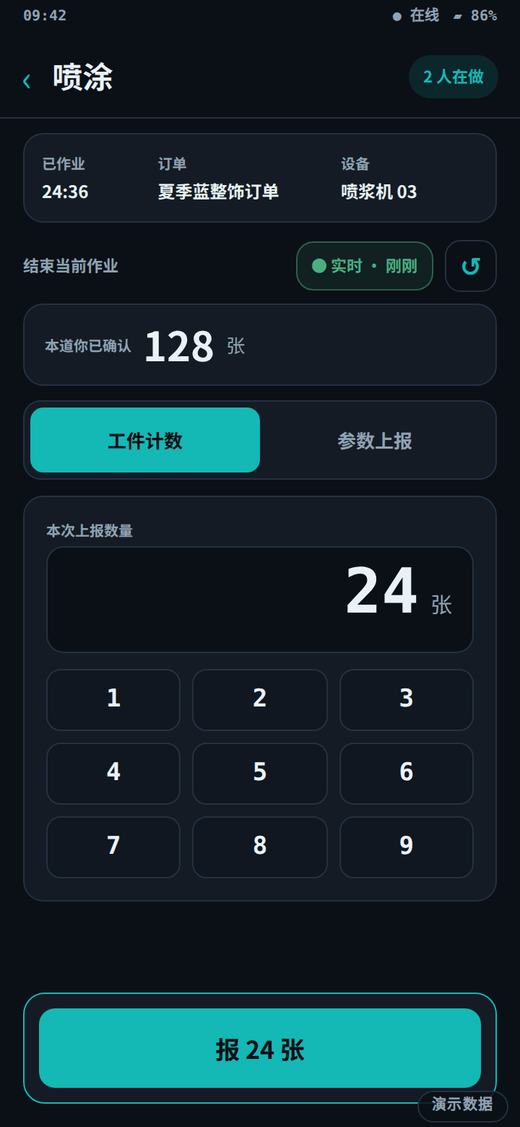
Three moments in a working day
Joining: your worker code is your identity
A new worker is registered by the factory and receives a worker code; typing it on their own phone is the whole sign-in. No password, and records survive a phone swap.
Working: three taps per report
Pick the operation, enter the quantity, confirm. With no signal the report waits in an offline queue and uploads when the network returns; the sync state stays visible.
Knocking off: today's own share
Accepted quantity times the rate in force — the server computes the worker's own figure, visible the same day on the wage page; nobody else's quantities or wages appear on this phone.
Where it stands on the thread
The five software ends share one order thread. The lit stage is where this end acts; neighbouring ends hand the work on, and each stage accepts only what the previous one recorded.
Order intake
Step planning
Floor reporting
acts hereOperation acceptance
Piece-rate confirmation
The floor-report stage belongs to the worker's own phone; the steps to do are taken from the issued plan, and acceptance and piecework are other ends' hands — this phone cannot touch them.
What this one includes, with status
Every row carries the same status badge used across the site; a row marked planned is not delivered yet and outside the current scope.
Who signs in, what they do, where it stops
- Who signs in
- The worker in person, signing in on their own phone.
- What they do
- Workers sign in with a worker code — no password; pick the operation, enter the count, confirm: reporting takes three steps.
- Boundary
- A worker sees only the operations assigned to them and the quantity they submitted; reporting on behalf of a colleague is impossible, and no one else's quantity or wage is visible.
- Where to check it
- The own-work page lists only the operations currently assigned to this account; the submitted quantity appears the moment it is sent; the own-wage page gives, per operation, the amount the server calculated for this worker alone.
See this end running on your own process?
Tell us your articles and operations when booking; the demo walks your actual flow and shows how the five ends hand work to each other.
Book a demo →